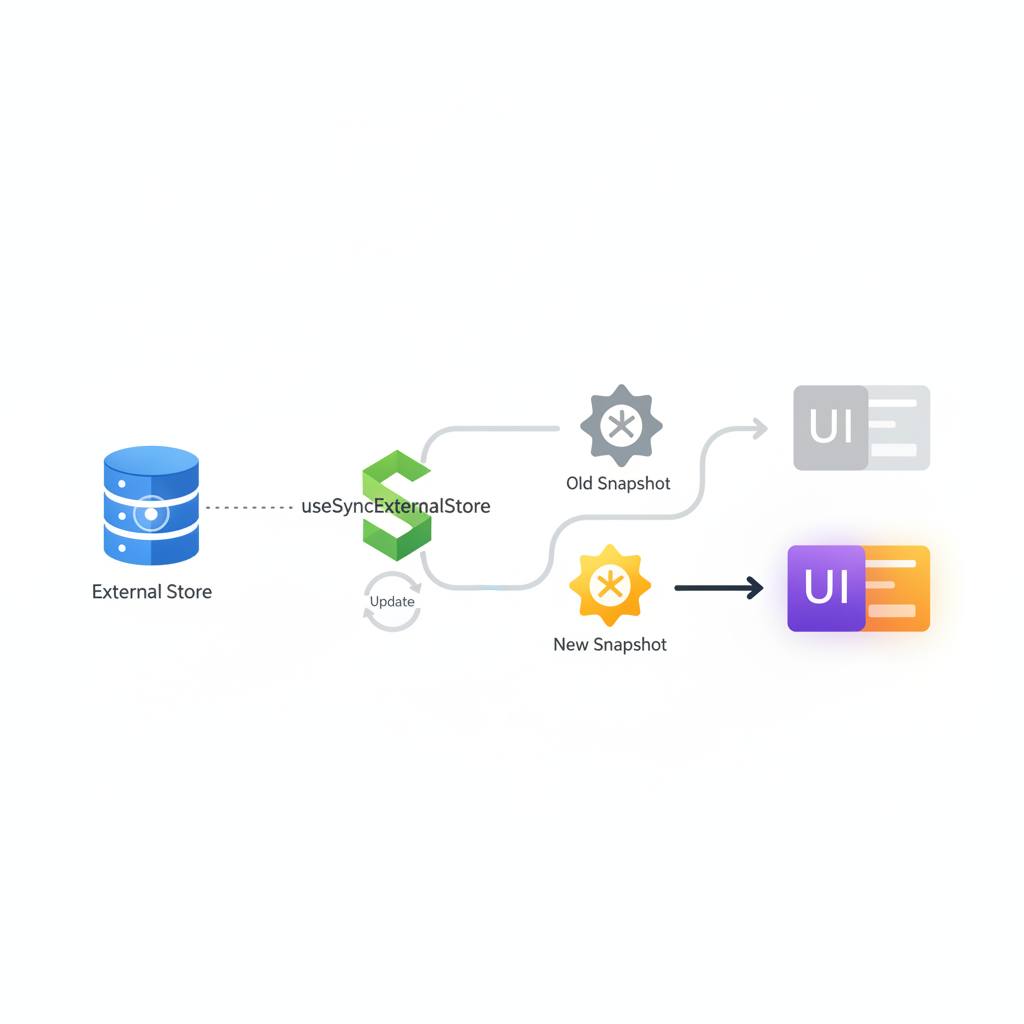
If you're using React's useSyncExternalStore Hook, it's crucial to know that it needs a completely new data snapshot to display changes on screen, not just an alteration within the existing snapshot object. Also, the initial data value must match what was rendered on the server when using SSR.
If you're using React's useSyncExternalStore Hook, it's crucial to know that it needs a completely new data snapshot to display changes on screen, not just an alteration within the existing snapshot object. This means you need to pay close attention to how you update your external store's data to ensure your user interface renders correctly and avoids unexpected behavior.
A recent experiment shed light on a vital behavior of this Hook. It showed that even if your external store notifies its subscribers about a change, the screen won't always update. This occurs when the 'snapshot' object itself is mutated internally without creating a completely new object. For instance, if you have a snapshot object with a `count` property and you directly change that property's value (e.g., `snapshot.count = 1`) and then send a notification, useSyncExternalStore won't perceive this as a 'change' that warrants a re-render. The screen will continue to display the old value.
The reason behind this behavior is that the Hook doesn't solely rely on notifications. It also requires the snapshot value returned by your `getSnapshot` function to be distinct from the previous snapshot when compared using `Object.is`. If you consistently return the same object (even if its internal properties have changed), `Object.is` will consider them identical, and React will not trigger a component re-render.
For useSyncExternalStore to react and display changes, you must create an entirely new snapshot object every time the data changes. This is demonstrated in the source's `createCounterStore` example with the `replace` function, which creates a fresh snapshot like `snapshot = { count: 2 }`. At that point, useSyncExternalStore sees a completely new object, recognizing a genuine change that needs to be reflected on the screen. The `mutate` function, which modifies the existing object, is explicitly not a recommended application pattern.
For Server-Side Rendered (SSR) applications, there's another critical point: the initial value read by the client when the page loads must precisely match the value used to generate the HTML on the server. This guarantees a seamless and consistent user experience between what the user initially sees from the server and what they experience after React takes over in the browser.
In essence, the official contract for the useSyncExternalStore Hook is clear: you should return the same snapshot as long as the data is unchanged, and return a new, immutable snapshot when the data genuinely changes. Avoid directly mutating the existing object after notifications. By following these guidelines, you'll ensure your applications utilizing this Hook function smoothly and update the UI reliably when needed.
A recent experiment shed light on a vital behavior of this Hook. It showed that even if your external store notifies its subscribers about a change, the screen won't always update. This occurs when the 'snapshot' object itself is mutated internally without creating a completely new object. For instance, if you have a snapshot object with a `count` property and you directly change that property's value (e.g., `snapshot.count = 1`) and then send a notification, useSyncExternalStore won't perceive this as a 'change' that warrants a re-render. The screen will continue to display the old value.
The reason behind this behavior is that the Hook doesn't solely rely on notifications. It also requires the snapshot value returned by your `getSnapshot` function to be distinct from the previous snapshot when compared using `Object.is`. If you consistently return the same object (even if its internal properties have changed), `Object.is` will consider them identical, and React will not trigger a component re-render.
For useSyncExternalStore to react and display changes, you must create an entirely new snapshot object every time the data changes. This is demonstrated in the source's `createCounterStore` example with the `replace` function, which creates a fresh snapshot like `snapshot = { count: 2 }`. At that point, useSyncExternalStore sees a completely new object, recognizing a genuine change that needs to be reflected on the screen. The `mutate` function, which modifies the existing object, is explicitly not a recommended application pattern.
For Server-Side Rendered (SSR) applications, there's another critical point: the initial value read by the client when the page loads must precisely match the value used to generate the HTML on the server. This guarantees a seamless and consistent user experience between what the user initially sees from the server and what they experience after React takes over in the browser.
In essence, the official contract for the useSyncExternalStore Hook is clear: you should return the same snapshot as long as the data is unchanged, and return a new, immutable snapshot when the data genuinely changes. Avoid directly mutating the existing object after notifications. By following these guidelines, you'll ensure your applications utilizing this Hook function smoothly and update the UI reliably when needed.