Discover the 'audio focus' system that quietly arbitrates sound on your Android phone, explaining why apps you wouldn't expect can sometimes take over your speaker and stop your music.
Ever wondered why your music stops completely when you open a different app, even one that doesn't seem to have anything to do with media? It's not always the app you think is in charge; there's a clever 'honour system' called audio focus managing your Android phone's speaker. This means that a seemingly unrelated app can silence your dedicated music player without a second thought, and you're left wondering why.
Imagine you're enjoying your favorite tunes, and then you casually open an app with an endless feed. Suddenly, a short video plays automatically, and your music completely cuts out. It doesn't pause politely or lower its volume; it just stops, forcing you to go back and press play again. This common experience might seem like a minor annoyance, but it highlights a deeper system at play. Why should an app not built for media have the power to stop another app that *is*?
Our phones are always juggling sounds. A navigation app needs to give directions over your podcast. A video call demands the audio channel currently used by a song. A game wants to play its sound effects while a streaming app waits silently in the background. With dozens of apps, many wanting to make noise at once, chaos would ensue without a referee. Someone has to decide which sound gets priority.
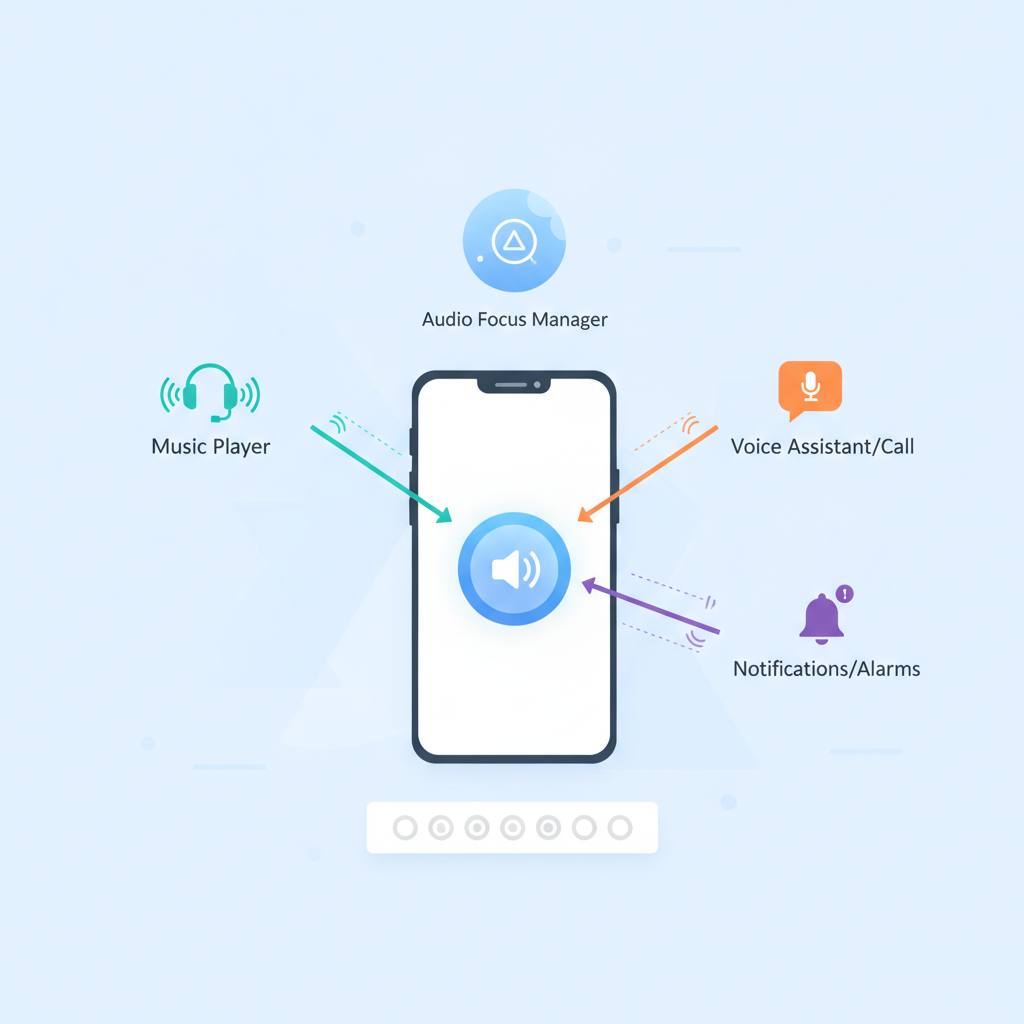
It's easy to assume there's a simple list of priorities or that the newest or loudest app just wins. But the truth is more nuanced. Since no single app can see what every other app is doing, this arbitration has to happen at the system level. The secret sauce is 'audio focus.' This system acts like a token, granting temporary control of the speaker to an app. When an app requests audio focus, it's essentially asking for the audio channel. Other apps might then lose their focus, causing them to pause or stop their audio. Understanding audio focus explains how a random five-second video clip can silence your carefully curated playlist. It's all about how the system grants and revokes access to that precious audio channel.
Imagine you're enjoying your favorite tunes, and then you casually open an app with an endless feed. Suddenly, a short video plays automatically, and your music completely cuts out. It doesn't pause politely or lower its volume; it just stops, forcing you to go back and press play again. This common experience might seem like a minor annoyance, but it highlights a deeper system at play. Why should an app not built for media have the power to stop another app that *is*?
Our phones are always juggling sounds. A navigation app needs to give directions over your podcast. A video call demands the audio channel currently used by a song. A game wants to play its sound effects while a streaming app waits silently in the background. With dozens of apps, many wanting to make noise at once, chaos would ensue without a referee. Someone has to decide which sound gets priority.
It's easy to assume there's a simple list of priorities or that the newest or loudest app just wins. But the truth is more nuanced. Since no single app can see what every other app is doing, this arbitration has to happen at the system level. The secret sauce is 'audio focus.' This system acts like a token, granting temporary control of the speaker to an app. When an app requests audio focus, it's essentially asking for the audio channel. Other apps might then lose their focus, causing them to pause or stop their audio. Understanding audio focus explains how a random five-second video clip can silence your carefully curated playlist. It's all about how the system grants and revokes access to that precious audio channel.