A recent news story highlights how choosing an automation tool depends heavily on its billing model, not just features. We'll explore the critical difference between paying per workflow 'execution' and paying 'per-task' to help you save money.
Have you ever wondered how the tools that connect your apps and automate your daily tasks actually charge for their services? An interesting news story this week revealed a crucial, often overlooked point when choosing automation tools like Zapier, Make, or n8n: the billing model. While these tools might seem similar in what they offer, the way they charge you can make a huge difference to your final bill.
Let's imagine you have a simple task you want to automate: when a new email arrives (Step 1), its attachment is saved to Dropbox (Step 2), and then a notification is sent to Slack (Step 3). This is a three-step sequence, or what we call a 'workflow' in the automation world. The difference in cost depends on how these steps are counted:
**1. 'Per-Execution' Billing:**
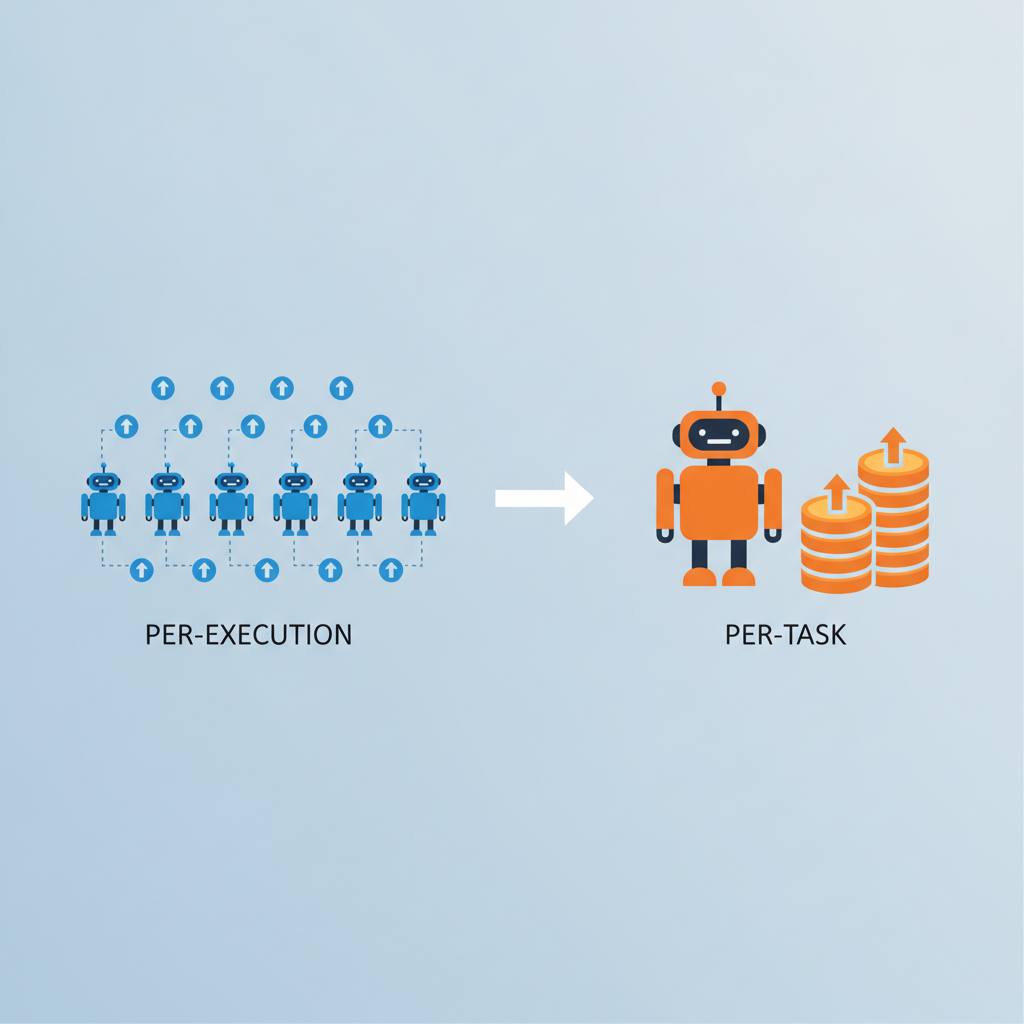
Imagine buying a bus ticket. You pay one flat fare to get on the bus and reach your destination, regardless of how many stops the bus makes. This is the concept of 'per-execution' billing. A complete run of an entire workflow, from start to finish, counts as just one unit. It doesn't matter if your workflow has two simple steps or two hundred complex ones; it still counts as a single 'execution'. This model, used by tools like n8n, can be very cost-effective for complex, long workflows that run frequently.
**2. 'Per-Task' or 'Per-Operation' Billing:**
Now, imagine you pay for every single bus stop, or for every item you put in your shopping cart. This is the 'per-task' model. Here, every individual step within your workflow is counted as a separate 'task' or 'operation'. In our earlier three-step workflow example, each time that workflow runs, it would be counted as three separate tasks. If you run that workflow 100 times in a month, you would pay for 300 tasks! This model, used by tools like Zapier and Make, can quickly lead to much higher bills, especially for workflows with many steps or those that are triggered frequently.
**The Takeaway:**
Don't just look at features when choosing an automation tool. Carefully examine the billing model. For complex workflows with multiple steps, a 'per-execution' model can be a significant money-saver. For simpler workflows or those with fewer steps, the difference might not be as dramatic. Understanding this distinction will help you make a smart decision and avoid surprises on your monthly automation bill.
Let's imagine you have a simple task you want to automate: when a new email arrives (Step 1), its attachment is saved to Dropbox (Step 2), and then a notification is sent to Slack (Step 3). This is a three-step sequence, or what we call a 'workflow' in the automation world. The difference in cost depends on how these steps are counted:
**1. 'Per-Execution' Billing:**
Imagine buying a bus ticket. You pay one flat fare to get on the bus and reach your destination, regardless of how many stops the bus makes. This is the concept of 'per-execution' billing. A complete run of an entire workflow, from start to finish, counts as just one unit. It doesn't matter if your workflow has two simple steps or two hundred complex ones; it still counts as a single 'execution'. This model, used by tools like n8n, can be very cost-effective for complex, long workflows that run frequently.
**2. 'Per-Task' or 'Per-Operation' Billing:**
Now, imagine you pay for every single bus stop, or for every item you put in your shopping cart. This is the 'per-task' model. Here, every individual step within your workflow is counted as a separate 'task' or 'operation'. In our earlier three-step workflow example, each time that workflow runs, it would be counted as three separate tasks. If you run that workflow 100 times in a month, you would pay for 300 tasks! This model, used by tools like Zapier and Make, can quickly lead to much higher bills, especially for workflows with many steps or those that are triggered frequently.
**The Takeaway:**
Don't just look at features when choosing an automation tool. Carefully examine the billing model. For complex workflows with multiple steps, a 'per-execution' model can be a significant money-saver. For simpler workflows or those with fewer steps, the difference might not be as dramatic. Understanding this distinction will help you make a smart decision and avoid surprises on your monthly automation bill.