If you're running a two-node Proxmox cluster, you might find your entire system freezing if one node fails. The good news is there's an easy, inexpensive solution called a QDevice that prevents this critical issue.
Are you relying on a two-node Proxmox cluster, thinking it offers full redundancy? You might be surprised to learn that this setup isn't as reliable as you'd expect, and can actually lead to your entire system freezing, even if one node is still running! This means your system could become unusable at a critical moment.
The common belief is that if one machine dies, the other seamlessly takes over. However, in a standard two-node Proxmox setup, losing one node can cause the surviving node to completely freeze. Proxmox uses a system called Corosync to ensure all nodes agree on who is alive. Each node gets one «vote,» and for the cluster to maintain its proper working state (known as «quorum»), more than half of the total votes must be present.
Now, let's do the math for two nodes: you have only two votes. If one node fails, you're left with one vote out of two. This is exactly half, not «more than half.» So, what happens? The remaining node stops working and freezes. Its cluster filesystem switches to read-only mode, meaning you can't start virtual machines, change configurations, create backups, or save anything through the user interface. This is the tricky part: the node that is still powered, connected, and otherwise functional stops working because it can't tell if the other node is truly dead or just unreachable. Refusing to write is the safe choice for the cluster to prevent data corruption, but it's incredibly frustrating for you!
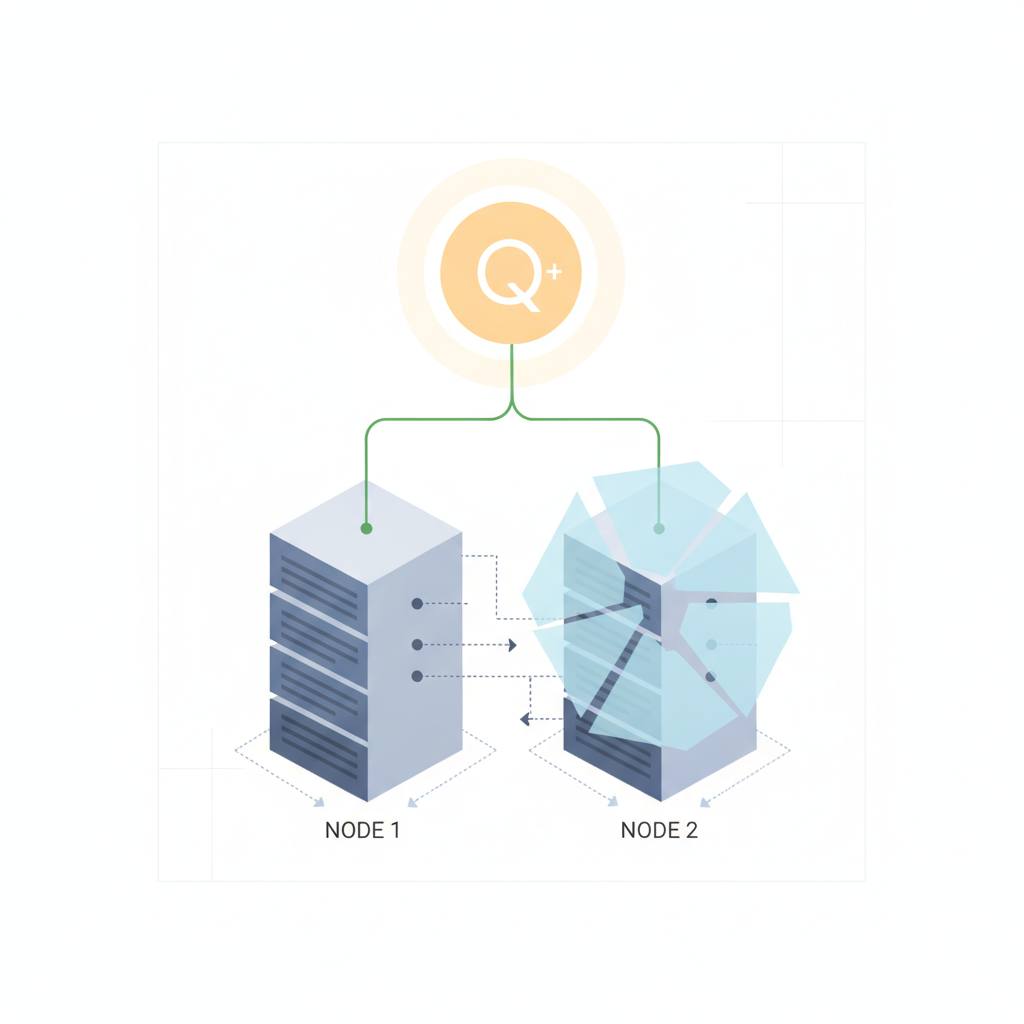
Fortunately, there's a simple and clever solution to this problem that doesn't require you to invest in an expensive third Proxmox server. This fix is called a «QDevice.» A QDevice is essentially a tiny, independent external «voter.» It can run on something as small as a Raspberry Pi, a container on a Network-Attached Storage (NAS) device, or any always-on Linux box that isn't one of your main cluster nodes.
By adding a QDevice, your cluster gains a third total vote (your two nodes plus the QDevice). If one of your main cluster nodes fails, you're still left with two votes out of three. And two out of three *is more than half*! This means the surviving node maintains quorum and continues to operate without any disruption. Setting it up is straightforward, involving just three main steps:
1. On your external QDevice box (like a Raspberry Pi): Install 'corosync-qnetd'.
2. On *every* Proxmox cluster node: Install 'corosync-qdevice'.
3. On *one* Proxmox cluster node (ensuring SSH root access to the QDevice box works): Use the command 'pvecm qdevice setup [IP_ADDRESS_OF_QDEVICE]'.
After setup, you can verify the vote count by checking 'pvecm status'; you should see 3 total votes and «Qdevice» listed. This effective solution will make your two-node Proxmox cluster significantly more reliable and give you the peace of mind you're looking for, all without the need for a substantial investment in a third server.
The common belief is that if one machine dies, the other seamlessly takes over. However, in a standard two-node Proxmox setup, losing one node can cause the surviving node to completely freeze. Proxmox uses a system called Corosync to ensure all nodes agree on who is alive. Each node gets one «vote,» and for the cluster to maintain its proper working state (known as «quorum»), more than half of the total votes must be present.
Now, let's do the math for two nodes: you have only two votes. If one node fails, you're left with one vote out of two. This is exactly half, not «more than half.» So, what happens? The remaining node stops working and freezes. Its cluster filesystem switches to read-only mode, meaning you can't start virtual machines, change configurations, create backups, or save anything through the user interface. This is the tricky part: the node that is still powered, connected, and otherwise functional stops working because it can't tell if the other node is truly dead or just unreachable. Refusing to write is the safe choice for the cluster to prevent data corruption, but it's incredibly frustrating for you!
Fortunately, there's a simple and clever solution to this problem that doesn't require you to invest in an expensive third Proxmox server. This fix is called a «QDevice.» A QDevice is essentially a tiny, independent external «voter.» It can run on something as small as a Raspberry Pi, a container on a Network-Attached Storage (NAS) device, or any always-on Linux box that isn't one of your main cluster nodes.
By adding a QDevice, your cluster gains a third total vote (your two nodes plus the QDevice). If one of your main cluster nodes fails, you're still left with two votes out of three. And two out of three *is more than half*! This means the surviving node maintains quorum and continues to operate without any disruption. Setting it up is straightforward, involving just three main steps:
1. On your external QDevice box (like a Raspberry Pi): Install 'corosync-qnetd'.
2. On *every* Proxmox cluster node: Install 'corosync-qdevice'.
3. On *one* Proxmox cluster node (ensuring SSH root access to the QDevice box works): Use the command 'pvecm qdevice setup [IP_ADDRESS_OF_QDEVICE]'.
After setup, you can verify the vote count by checking 'pvecm status'; you should see 3 total votes and «Qdevice» listed. This effective solution will make your two-node Proxmox cluster significantly more reliable and give you the peace of mind you're looking for, all without the need for a substantial investment in a third server.