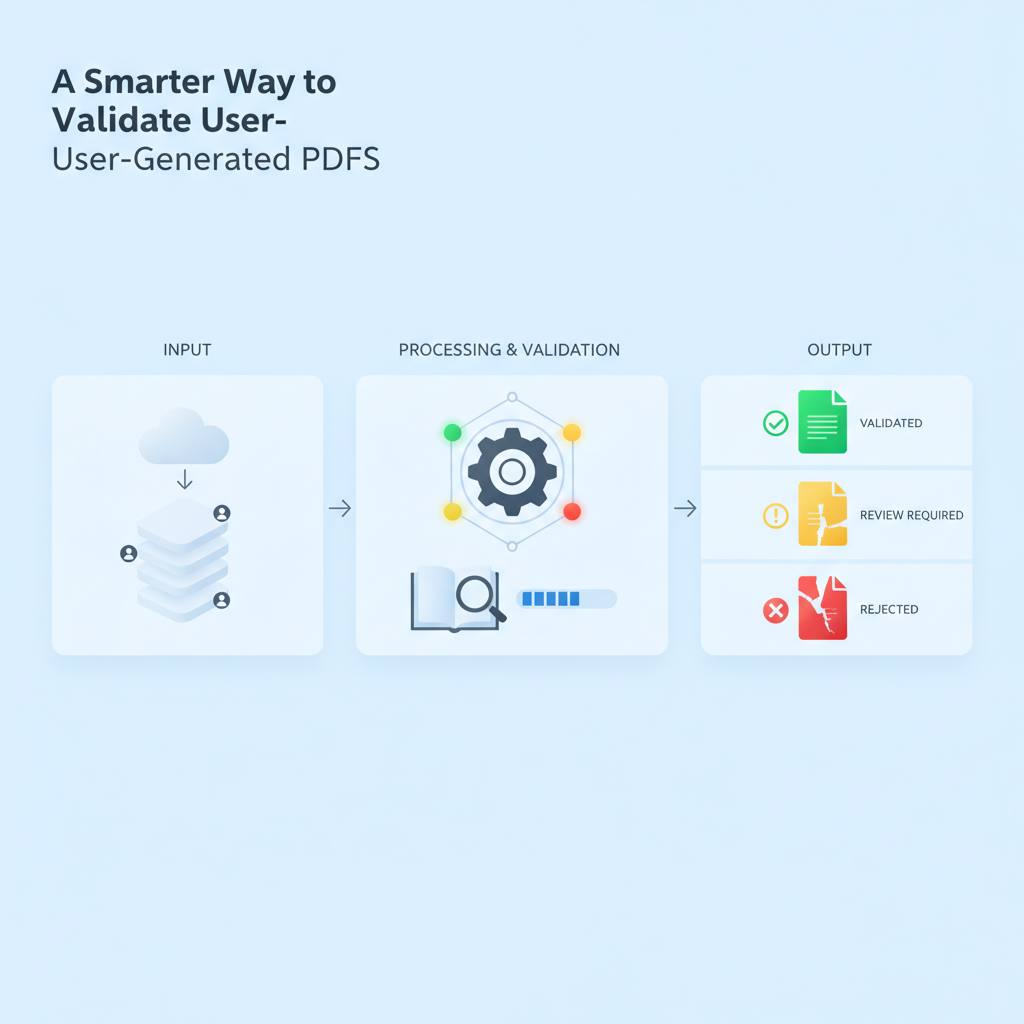
A new three-state validation model is helping developers create more reliable user-generated PDFs. It goes beyond simple 'valid' or 'invalid' to offer smarter feedback, ensuring documents are safe to export or clearly marked for review.
Here's some interesting news for anyone building apps that create documents: a new way to think about validating user-generated PDFs has emerged. What this means for you is better, more flexible tools for ensuring that files like reports or custom forms are truly ready for use, rather than just technically correct.
Most tools today simply tell you if a field is 'valid' or 'invalid'. But if you're building something complex, like a web app for printing custom documents with various inputs—text, photos, and formatting choices—a simple 'green check' everywhere doesn't guarantee the final PDF will look good or even be complete. Imagine a system where a name is missing, a photo looks a bit blurry, or a block of text overflows its frame; the standard valid/invalid approach often falls short. It either blocks export unnecessarily for minor issues or, worse, hides important problems.
Developers building a print-oriented web application faced this exact problem. They found a two-state system too rigid, leading to frustration for both users and developers. Their solution is a practical three-state validation model: 'pass', 'needs_review', or 'cannot_export'.
This model makes a lot more sense. If a required name is blank or text overflows and will be cut off, the document 'cannot_export'. That's a clear block. But what if a portrait photo is just a little soft when printed? That's a 'needs_review' scenario. The user gets a warning but can choose to proceed if it's the only photo available. This distinction is crucial; it prevents the app from being overly strict while still highlighting potential issues.
The validation system checks for basic things like required names, dates, and chosen formats. It also smartly looks for unresolved placeholders, like '[Name] TBD', understanding that a field can be filled in but still incomplete. This small but significant change creates a much more honest and helpful interface for users, leading to higher quality user-generated documents without unnecessary roadblocks.
Most tools today simply tell you if a field is 'valid' or 'invalid'. But if you're building something complex, like a web app for printing custom documents with various inputs—text, photos, and formatting choices—a simple 'green check' everywhere doesn't guarantee the final PDF will look good or even be complete. Imagine a system where a name is missing, a photo looks a bit blurry, or a block of text overflows its frame; the standard valid/invalid approach often falls short. It either blocks export unnecessarily for minor issues or, worse, hides important problems.
Developers building a print-oriented web application faced this exact problem. They found a two-state system too rigid, leading to frustration for both users and developers. Their solution is a practical three-state validation model: 'pass', 'needs_review', or 'cannot_export'.
This model makes a lot more sense. If a required name is blank or text overflows and will be cut off, the document 'cannot_export'. That's a clear block. But what if a portrait photo is just a little soft when printed? That's a 'needs_review' scenario. The user gets a warning but can choose to proceed if it's the only photo available. This distinction is crucial; it prevents the app from being overly strict while still highlighting potential issues.
The validation system checks for basic things like required names, dates, and chosen formats. It also smartly looks for unresolved placeholders, like '[Name] TBD', understanding that a field can be filled in but still incomplete. This small but significant change creates a much more honest and helpful interface for users, leading to higher quality user-generated documents without unnecessary roadblocks.